AI analysis
PVS Forge can run an AI fitness check on a single vDisk: it reads the inventory captured during imaging and assesses the software state for production use — component versions, Citrix-stack risks, security notes, and a prioritized list of recommendations before you roll the vDisk out.
Open it from vDisk Analysis in the sidebar.
What it checks
The analysis works entirely from the captured inventory of the selected vDisk and is structured in six sections:
- Component assessment — installed Citrix components (VDA, PVS target device agent, WEM) and the profile solutions (Citrix Profile Management, Microsoft FSLogix) with release context (LTSR vs CR), the currently available version from the vendor, support status and the delta in words.
- Citrix stack risks — risks arising from the specific version combination. When PVS Forge runs on the PVS server, the target device agent is checked against the PVS server version of the farm; a version difference between Citrix components on the same machine is reported as a low-priority alignment hint, not as a blocker.
- Third-party software risks — PDF readers, Office, browsers, runtimes, archivers and editors: installed vs current version and whether security advisories exist for the installed version.
- Operating system and patch status — build and the most recent installed updates compared with the current cumulative update; how old the last update is relative to the capture date.
- Recommendations before production — a prioritized checklist (High / Medium / Low), each tied to a concrete finding above.
- Community trend — only with web search enabled: threads from the Citrix Community forum (last six months) that match your component versions, with link, date and a one-line symptom. Community posts are not a reliable factor, but they indicate a trend.
The AI is instructed to reason only from what is in the inventory — it does not speculate about components that are not installed, it never rates a profile solution against another, and it writes [not verified] instead of guessing a version it could not confirm.
How to use it
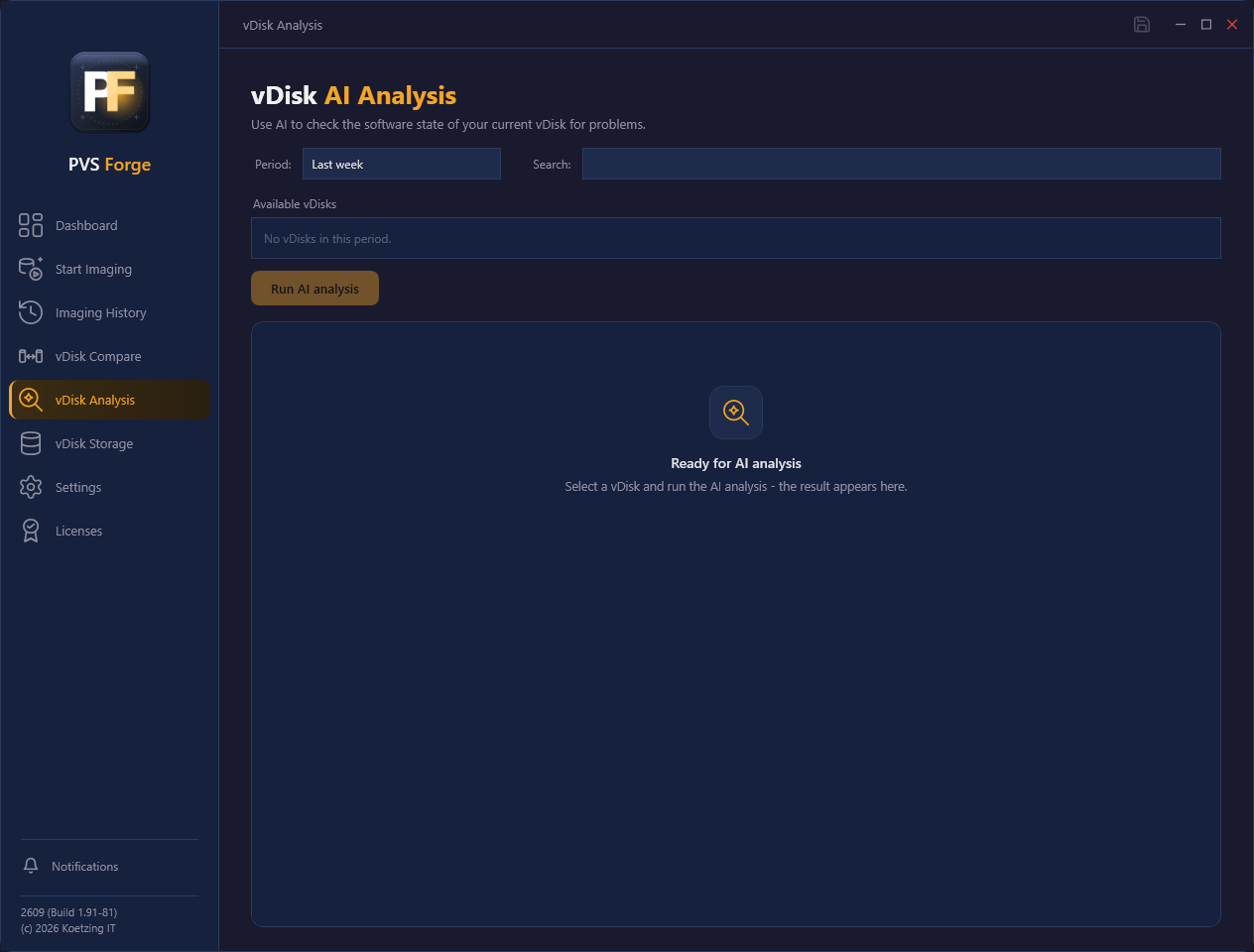
- Pick a period — last week (default), last two weeks, or last month — or type in the search box to find a vDisk by name across all runs.
- Select one vDisk from the list. Entries whose inventory is no longer in the store are marked and cannot be analysed.
- Click Run AI analysis. The result appears below.
Above the result you find four actions:
- Copy puts the complete analysis text on the clipboard — ready to paste into a ticket, e-mail, or documentation.
- Save PDF / Open PDF export the analysis as a styled PDF report; Open PDF only appears when the server has a PDF viewer associated.
- Send by mail delivers the PDF to your configured notification recipients, using the same SMTP settings as every other mail in PVS Forge.
Requirements
- An AI provider and API key must be configured under Settings → AI analysis. Without it, the analysis cannot run.
- The selected vDisk must still have its inventory next to the VHDX in the store (the same companion file the History page reads).
Web search for current versions
With the Anthropic provider and web search enabled in settings, the AI verifies component versions against the official vendor sources and notes how many searches it used and which sources it cited. The search is restricted to the vendors of the products actually installed (for example docs.citrix.com, support.citrix.com, learn.microsoft.com, support.microsoft.com, msrc.microsoft.com, helpx.adobe.com) — social media, forums and blogs are never used as sources. With web search off, it marks version assessments as not verified instead of guessing.
Why more than one AI provider — and why exactly these two
PVS Forge deliberately supports multiple AI providers: you bring your own API key, choose the vendor your company has approved, and are never tied to a single AI supplier. The full analysis, however, depends on one capability: the provider must offer built-in web search so versions, advisories and the community trend can be verified against vendor sources instead of being guessed from training data. Today that capability is available from Anthropic and OpenAI — therefore these are the two offered providers.
- Anthropic (default) completes an analysis in under a minute.
- OpenAI (gpt-5-mini) searches very thoroughly but reasons between searches — an analysis can take 5–10 minutes; the status line shows the elapsed time.
- Azure OpenAI is currently not offered: the Azure OpenAI service provides no built-in web search, so the analysis could not verify anything and would silently deliver a weaker result. It will be reconsidered once Microsoft provides an API-compatible web grounding. Existing Azure configurations keep working.
- A custom endpoint (e.g. a local model) works without web search and marks version assessments as not verified.
Network access for the analysis
The analysis talks to your AI provider (api.anthropic.com or api.openai.com) and, with web search on,
reads the Citrix Community forum feeds from community.citrix.com for the
community trend. If a proxy or firewall blocks community.citrix.com, section
6 is omitted with a note and a hint appears in the notification center — the
rest of the analysis is unaffected. The proxy settings of PVS Forge apply.
Single vDisk vs comparison
This page assesses one vDisk on its own. To see what changed between two vDisk versions, use vDisk Visibility → Compare, which shows the differences side by side.